
Curious about What is IPTV? and whether it suits your home? This guide explains how IPTV works? in plain English, the devices that offer the smoothest experience, and the basics you need for reliable picture quality. We’ll keep jargon light and highlight small tweaks that reduce buffering. If you plan to use a Samsung TV, our early guide on players is here: How to use IPTV Smarters Pro on Samsung TV. Prefer to validate your setup first? Try the PV Flix 24H FREE Trial via the plans page.
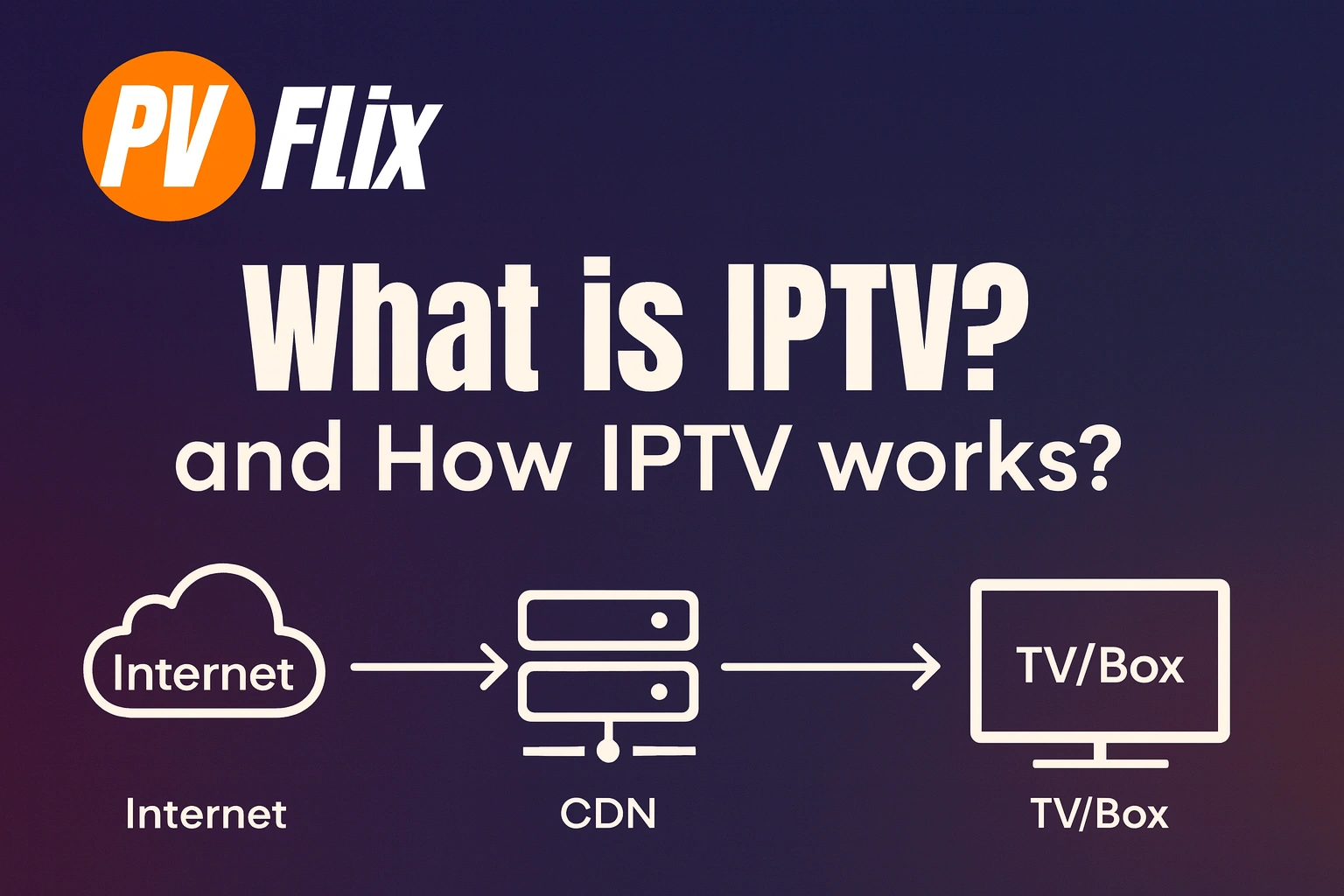
What is IPTV?
IPTV (Internet Protocol Television) is TV delivered over the internet rather than satellite or cable. You choose a channel or film; the service sends that stream to you on demand. It works across many screens — including iptv for smart tv models, streaming sticks, phones and tablets — and supports pause, rewind, EPG, and VOD libraries when your plan includes them. If you’re wondering how IPTV works, the next section shows the simple flow from server to screen.
How it works (the simple model)
Think of the path as encode → package → distribute → play. Content is compressed and formatted, then moved across the internet to your device with smart adjustments for speed and congestion.
Encoding & packaging: Video is encoded (e.g., H.264/HEVC) and segmented for adaptive bitrate streaming. Your player jumps between qualities automatically to minimise buffering.
Distribution: Streams travel through a content delivery network so copies are closer to viewers in the UK, France and Switzerland. Shorter routes reduce latency.
Session type: Most consumer services use unicast vs multicast models, with unicast (one stream per viewer) being standard for VOD and typical home IPTV.
Playback & control: Your player or TV app fetches segments, buffers briefly, and displays the stream. Good apps expose EPG, catch-up and subtitle controls.

Choosing the right option (quality, reliability, compatibility, support)
When comparing providers and players, focus on factors that actually improve everyday viewing:
Picture quality & stability: Look for clear encoding, consistent uptime, and ABR profiles tuned for evening peak times.
Devices & players: For living rooms, Samsung TV, LG webOS, Android TV boxes, Fire TV Stick and Apple TV all work well with compatible players (e.g., IBO Player, IPTV Smarters, TiviMate).
Network & speed: Your home network matters. The recommended internet speed for IPTV is HD: 15 Mbps • Full-HD: 25 Mbps • 4K: 40+ Mbps per stream.
Support & setup: Instant activation, clear instructions, and responsive chat help reduce friction on day one.
Quick setup snapshot (5 steps)
Here’s a fast, device-agnostic view to get you from zero to watching:
Choose a reputable provider with transparent terms and support.
Install a player on your TV or stick (e.g., IBO Player, IPTV Smarters, TiviMate). Use official stores where possible.
Activate and link your app (device ID, email or portal as instructed).
Load the playlist or API (M3U URL or Xtream Codes provided by your service).
Test several items (live and VOD), add favourites, and adjust buffering if needed.
Tip: Use Ethernet where you can; otherwise 5 GHz Wi-Fi with a strong signal. “4K where supported” depends on device capabilities and plan.

Safety & good practice
Use apps from official stores when available. If you must sideload, verify sources, signatures and requested permissions. Only access content you have rights to watch and follow your country’s laws. Keep firmware updated, use strong Wi-Fi passwords, and avoid sharing credentials. A short weekly reboot of your router and TV often prevents small glitches from piling up.
Why PV Flix is a strong choice for Europe (UK, France, Switzerland)
PV Flix focuses on the parts that matter at home:
Instant activation so you can validate your setup in minutes.
Stability and uptime with delivery tuned for busy evening periods.
Device coverage across Smart TVs, streaming sticks and mobile apps.
Friendly 24/7 support, including WhatsApp for quick questions.
4K where supported, with clear plans and straightforward terms.
Prefer testing before buying? Try the 24H FREE Trial to check picture quality on your exact device and connection.

IPTV Frequently Asked Questions and Answers
1) What is IPTV?
It’s TV delivered over the internet, letting you stream live channels and on-demand video on compatible devices.
2) How does IPTV work in simple terms?
Your device requests a stream; the service sends segments over the internet using adaptive delivery to match your speed.
3) What devices can I use?
Smart TVs (Samsung, LG), Android TV boxes, Fire TV Stick, Apple TV, phones and tablets — with a compatible player app.
4) What internet speed do I need for IPTV?
Aim for HD: 15 Mbps, Full-HD: 25 Mbps, and 4K: 40+ Mbps per stream for a stable experience.
5) Can IPTV be used legally?
Yes — IPTV is a delivery method. Always watch content you have rights to and follow local laws and provider terms.
6) How can I reduce buffering?
Use Ethernet or strong 5 GHz Wi-Fi, pause heavy downloads, reboot router/TV, and adjust player buffering.
Conclusion & next steps
You now understand what IPTV is and the essentials behind how IPTV works. Ready to put it into practice? Try the 24H FREE Trial → or View Plans → Prefer human help? WhatsApp Live Chat

 English (UK)
  Deutsch (Schweiz)
  Français